No More Source Data -driven Data Warehouses!
- Business Model-Driven Workflow: Achieve real automation with only one initial mapping, eliminating the need for template-based manual adjustments.
- Extreme Speed: From conceptual model to analytics-ready data in hours, not weeks—without manual reconfiguring when source data changes.
- Business-First Automation: Build data pipelines based on business needs, avoiding the common challenges of overly rigid data models.
- No Manual SQL: Low-code, enabling teams to focus on insights instead of maintenance or scripting.

Check out the few pics to see how easy it is to create a Design-driven DW!
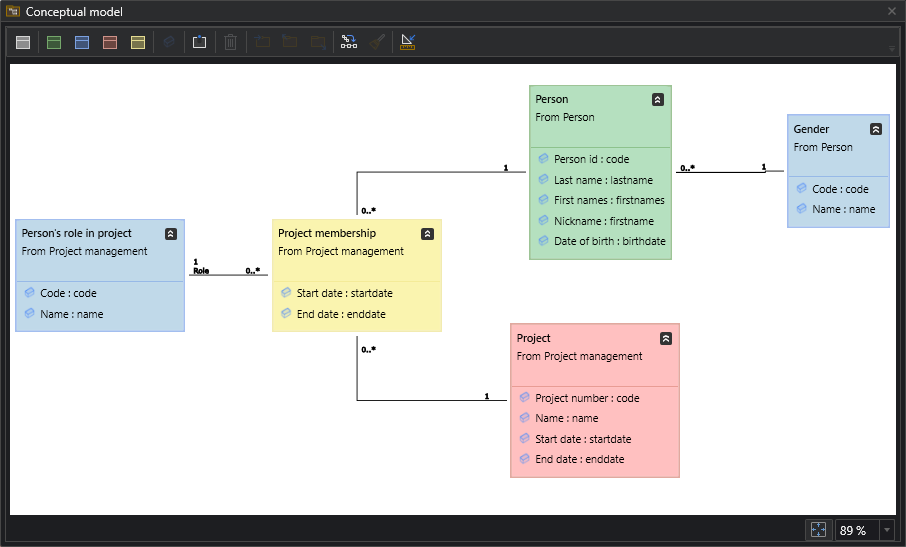
1. CREATE A BUSINESS MODEL
Model your business needs using a Conceptual Data Model
Add attributes to the entities
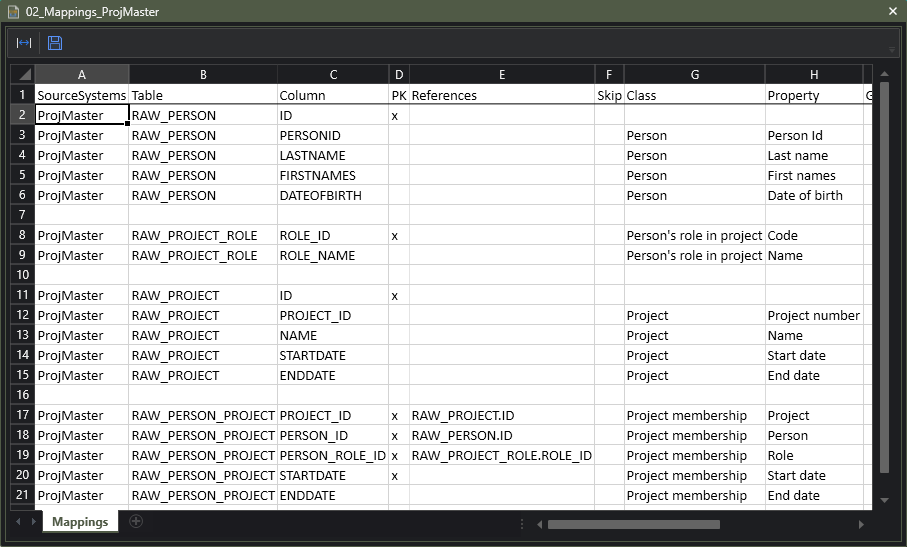
2. MAP DATA TO THE MODEL
Match the sources to the Conceptual Data Model by dragging and dropping to match attributes.
Mapping is only done once and then it’s available at all times.
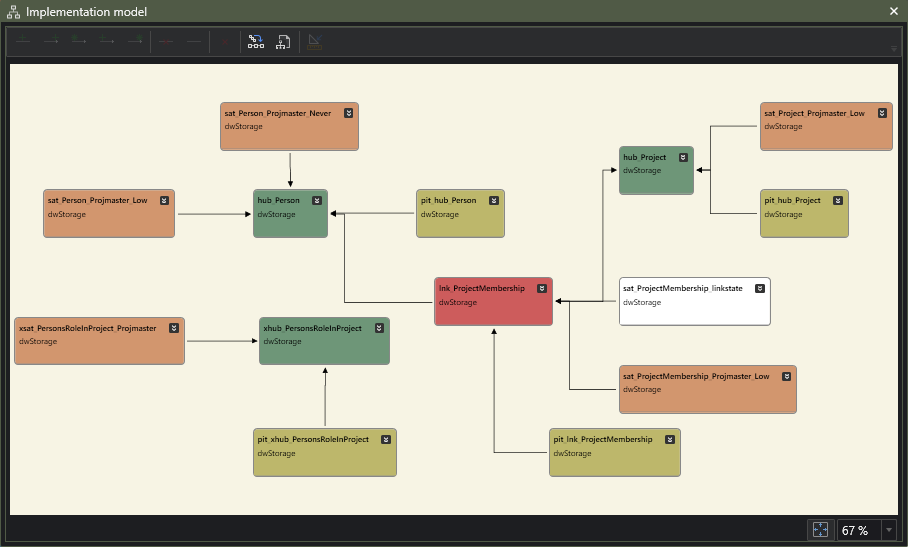
3. GENERATE DATA VAULT AUTOMATICALLY
Choose your target environment, and DSharp Studio will ensure there are no critical errors.
The Data Vault is created with a push of a button.
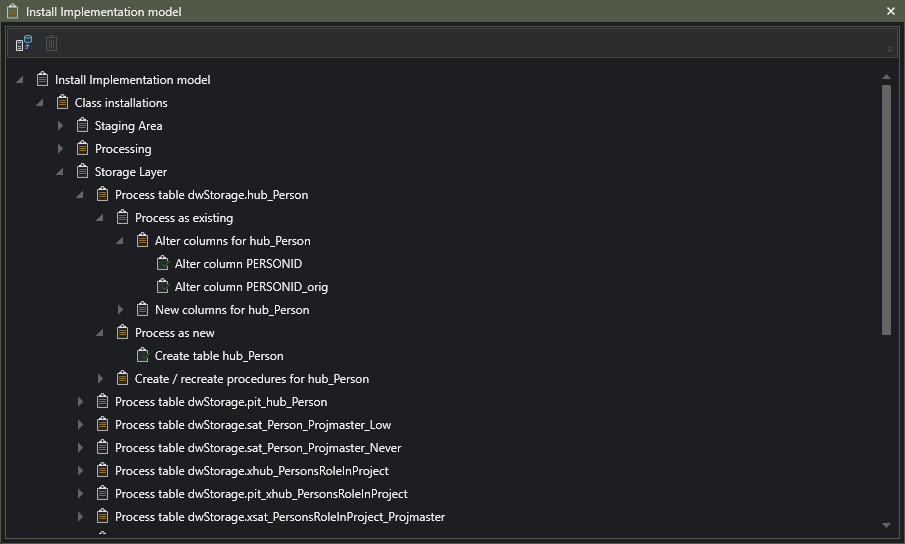
4. INSTALL AND RUN
The installation package is created automatically. Then you can deploy at your chosen target.
If changes are needed to your DW later on, just repeat each step from one onwards. DSharp Studio will take care of everything again as easily as the first time around.
No need to worry about losing anything previous when updating.
We are interested in hearing what you think of the above. Book a Meeting with us!
You can also download a whitepaper:
Streamlining Data Warehouse Automation: A Guide for Data & Analytics Teams